
100 Words School Edition1.3 - App Store
You'll be able to see results in few seconds.
Publisher Description
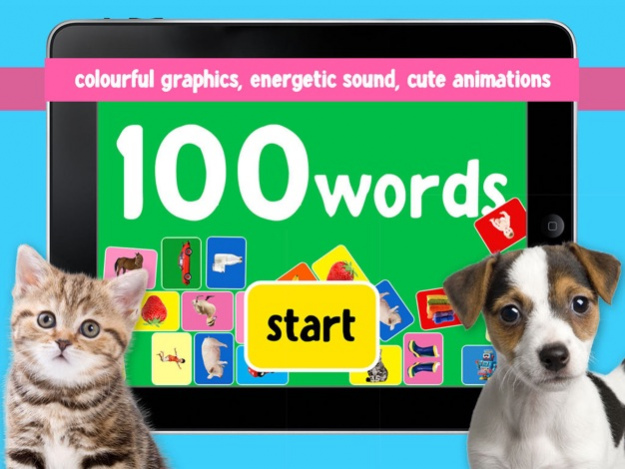

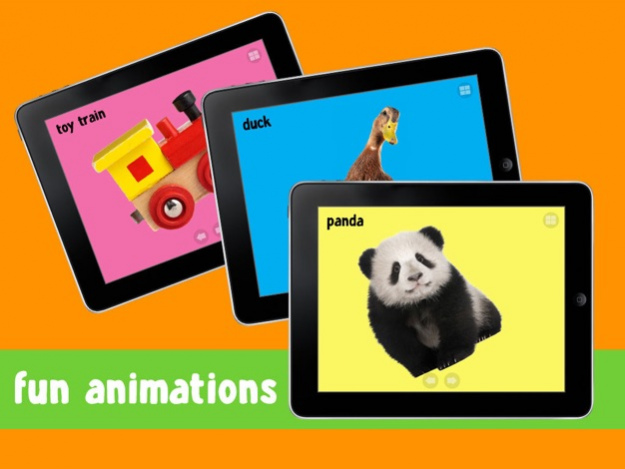


The Kizzu 100 series from Sherston provide one of the easiest ways to help your child develop confidence while learning new words. Through colourful graphics, energetic sounds and vibrant animations, children have fun learning to recognise and start to establish basic foundation vocabulary
100 words is a speech and English vocabulary learning game for preschool children aged from around one to four years old.
How it works
A clear voiceover, available in either British or American English, will introduce children to a range of subject themes including the following:
- Pets
- Farm
- Zoo
- Toys
- Activity
- Outside
- Bath time
- Dinner time
- Fruit
- Vegetables
- Clothes
- Vehicles
Children can repeat the words at the click of a button, helping them to learn through repetition until they recognise the words on their own. The word recognition will help older children with their literacy skills too.
Educational benefits
- Vocabulary acquisition
- Speech skills and confidence
- Image and word recognition
- Fine motor skills development
Curriculum links
Early Years Foundation Stage (EYFS)
· Technology
· Literacy - Reading
· Understanding the world – Technology
Suggested age range: 1-4 years old.
Feedback:
- "Love the accent - My son loves it and the British accent sounds lovable."
- "Fantastic - Simple and amazing. My daughter loved this app. thank you"
- "My little boy loves this - It's really simple and my son loves it. Great way for little ones to learn new words."
· #1 Educational iPad app in Thailand... thank you!
For teachers practitioners and parents
At Sherston, we know that if you're going to give your child an app to play with, you have to trust it. All our Kizzu apps are designed to give children the confidence to have fun as they explore and develop their skills.
Through each stage of their development, all our apps are worked on collaboratively with our panel of testers and educational experts.
All our interfaces are specifically designed with younger children in mind. This ensures the app meets the expectations of teachers, practitioners, parents and children everywhere.
May 5, 2017 Version 1.3
This app has been updated by Apple to display the Apple Watch app icon.
- Category and images replacement
About 100 Words School Edition
The company that develops 100 Words School Edition is bigcleverlearning. The latest version released by its developer is 1.3.
To install 100 Words School Edition on your iOS device, just click the green Continue To App button above to start the installation process. The app is listed on our website since 2017-05-05 and was downloaded 0 times. We have already checked if the download link is safe, however for your own protection we recommend that you scan the downloaded app with your antivirus. Your antivirus may detect the 100 Words School Edition as malware if the download link is broken.
How to install 100 Words School Edition on your iOS device:
- Click on the Continue To App button on our website. This will redirect you to the App Store.
- Once the 100 Words School Edition is shown in the iTunes listing of your iOS device, you can start its download and installation. Tap on the GET button to the right of the app to start downloading it.
- If you are not logged-in the iOS appstore app, you'll be prompted for your your Apple ID and/or password.
- After 100 Words School Edition is downloaded, you'll see an INSTALL button to the right. Tap on it to start the actual installation of the iOS app.
- Once installation is finished you can tap on the OPEN button to start it. Its icon will also be added to your device home screen.
Program Details
System requirements
Download information
Pricing
Version History
version 1.3
posted on 2017-05-05
May 5, 2017 Version 1.3
This app has been updated by Apple to display the Apple Watch app icon.
- Category and images replacement
version 1.3
posted on 2017-05-05
5 May 2017 Version 1.3
- Category and images replacement
version 1.3
posted on 2017-05-05
May 5, 2017 Version 1.3
- Category and images replacement
version 1.3
posted on 2017-05-05
May 5, 2017 Version 1.3
This app has been updated by Apple to use the latest Apple signing certificate.
- Category and images replacement
version 1.2
posted on 2016-03-30
version 1.3
posted on 1970-01-01
2017년 5월 5일 Version 1.3
- Category and images replacement
version 1.3
posted on 1970-01-01
2017年5月5日 Version 1.3
- Category and images replacement
version 1.3
posted on 1970-01-01
5 de may. de 2017 Version 1.3
- Category and images replacement
Disclaimer
Official App Store Link
We do not host 100 Words School Edition on our servers. We did not scan it for viruses, adware, spyware or other type of malware. This app is hosted by Apple and passed their terms and conditions to be listed there. We recommend caution when installing it.
The App Store link for 100 Words School Edition is provided to you by apps112.com without any warranties, representations or guarantees of any kind, so access it at your own risk.
If you have questions regarding this particular app contact the publisher directly. For questions about the functionalities of apps112.com contact us.
